Inviting people to collaborate
on your site
Invite people to collaborate on
your site via the Roles &
Permissions section in your site's
dashboard. You can assign a
predefined role or create
a custom
role for
them.
To send an invite to collaborate on
your site:
- Go
to Roles &
Permissions in
your site's dashboard.
- Click Invite
Collaborators.
- In
the Emails field,
enter the email support@2556media.com.
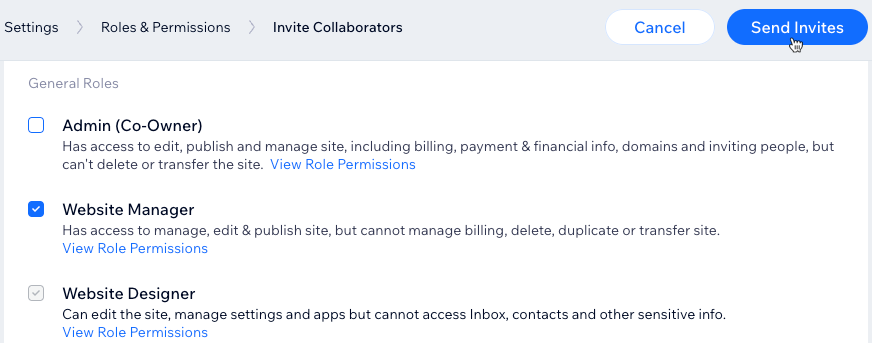
- Select the checkbox next to
each role you want to assign
to your
collaborator.
- Click Send
Invites.
Note:
- Wix sites have 1 free
collaborator seat by
default, or 5 collaborator
seats in Wix Studio. To
get more collaborator
seats, you will need
to upgrade
your site.
- If you already have more
collaborators than your
plan allows, they can
remain as collaborators.
However, you will not be
able to invite new
collaborators until you
upgrade your site.
- Keep track of how many
collaborator seats you
have filled with the
progress bar at the top of
your Roles &
Permissions dashboard.

Checking the status of a collaborator
invitation
To find out if a collaborator has
accepted their invitation, go
to Roles
&
Permissions in
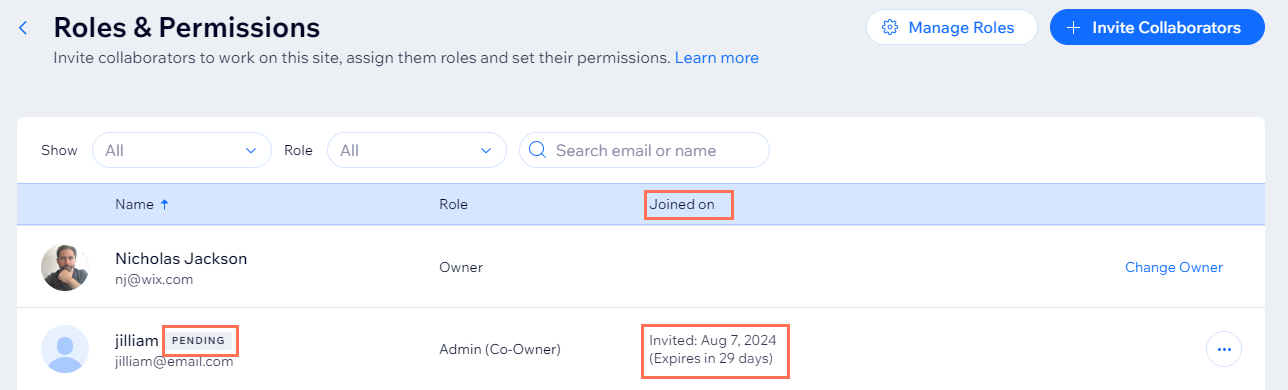
your site's dashboard. If there is
a 'PENDING' label next to their
name, they have not yet accepted
your invite.
In the 'Joined on' column, you
can find out when you sent the
invite, and how many days are left
until their invite
expires. Invitation
emails are valid for 30
days.
Resending an invitation
You can resend a collaborator
invitation at any time before it
has been accepted, even if the
invitation has expired. You can
choose to resend the invitation
via email through Wix, or retrieve
a link to the invitation and send
it directly to your
collaborator.
To resend an invitation:
- Go
to Roles &
Permissions in
your site's dashboard.
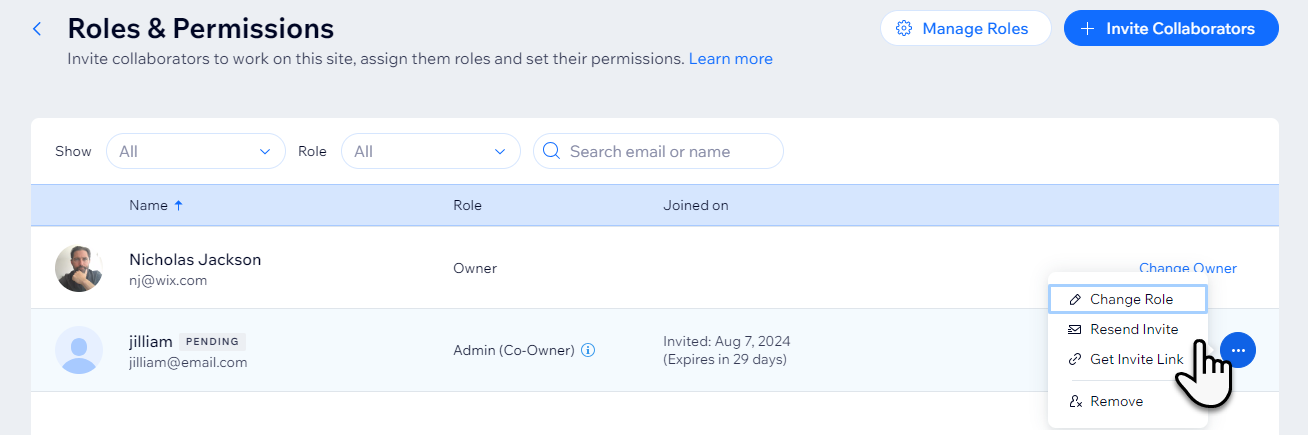
- Hover over the relevant person
and click
the More
Actions icon .
- Click the relevant option to choose how you want to resend the invitation:
- Resend invite: Resend the invitation to the collaborator's email address.Tip: Ask your collaborator to check their spam folder if they don't see it.
- Get invite
link: Copy
the invite link to
your clipboard so you
can manually send it
to the
collaborator.
 .
.